

A Vancouver clinic owner opens Google Analytics on a Tuesday and sees a comfortable pile of sessions. The phone has been quiet, the booking calendar is patchy, and nobody can say whether those visits came from organic search in the city or paid ads aimed at other parts of British Columbia. That gap is where most owners start when they ask how to use Google Analytics. Traffic totals feel reassuring until a budget meeting asks which pages, devices, and channels produce calls, forms, or orders. The useful path is a privacy-safe measurement system, then a regular join between behavioural reports and the CRM or payment records that settle a decision.
Why Google Analytics Needs a Measurement Plan
The clinic's weekly report lists page views and stops there. Someone treats a rise as proof that last month's campaign worked. Another person treats a dip as proof that the website failed. Both readings skip the question that changes spend: which visitors called, submitted a form, booked, or bought.
Google Analytics works as a measurement system, not a traffic counter. The Province of British Columbia's digital-service guidance treats page views and average sessions over a defined period as core website measures. In GA4, those two numbers only become useful beside users, engagement, landing pages, traffic acquisition, and conversions, reviewed together over a consistent window such as the previous 30 days.
One city, two kinds of visitor
Take a plumbing company that serves Vancouver and also buys ads across the province. In the last 30 days, organic visitors from Vancouver and paid visitors from other B.C. communities can both look busy. The split that matters is what each group does next.
- Organic Vancouver visits: people who already searched a local service and landed on a neighbourhood page.
- Paid visits from elsewhere in B.C.: people who clicked an ad and may be outside the service area.
- The business question: which group submits the quote form, taps the phone number, books a time, or completes a purchase.
A high session count on the paid side can still be a poor use of budget if those visitors rarely become customers. A smaller organic group can be the one that fills the calendar.
Season versus a real change
Month-over-month and year-over-year checks stop a seasonal rush from looking like a campaign win. A roofing firm will see more demand after a storm. A retailer will see more sessions before a holiday. Comparing the same month last year, and the month just finished, shows whether behaviour moved or the calendar turned.
Practical rule: don't change a budget because one metric moved. Change it when the same period shows who arrived, where they landed, and whether they completed the action the business actually sells.
Page views alone can't justify that change. They don't name the channel, the device, or the outcome. The rest of this guide answers those three questions, starting with a property that collects only what the business is allowed to use.
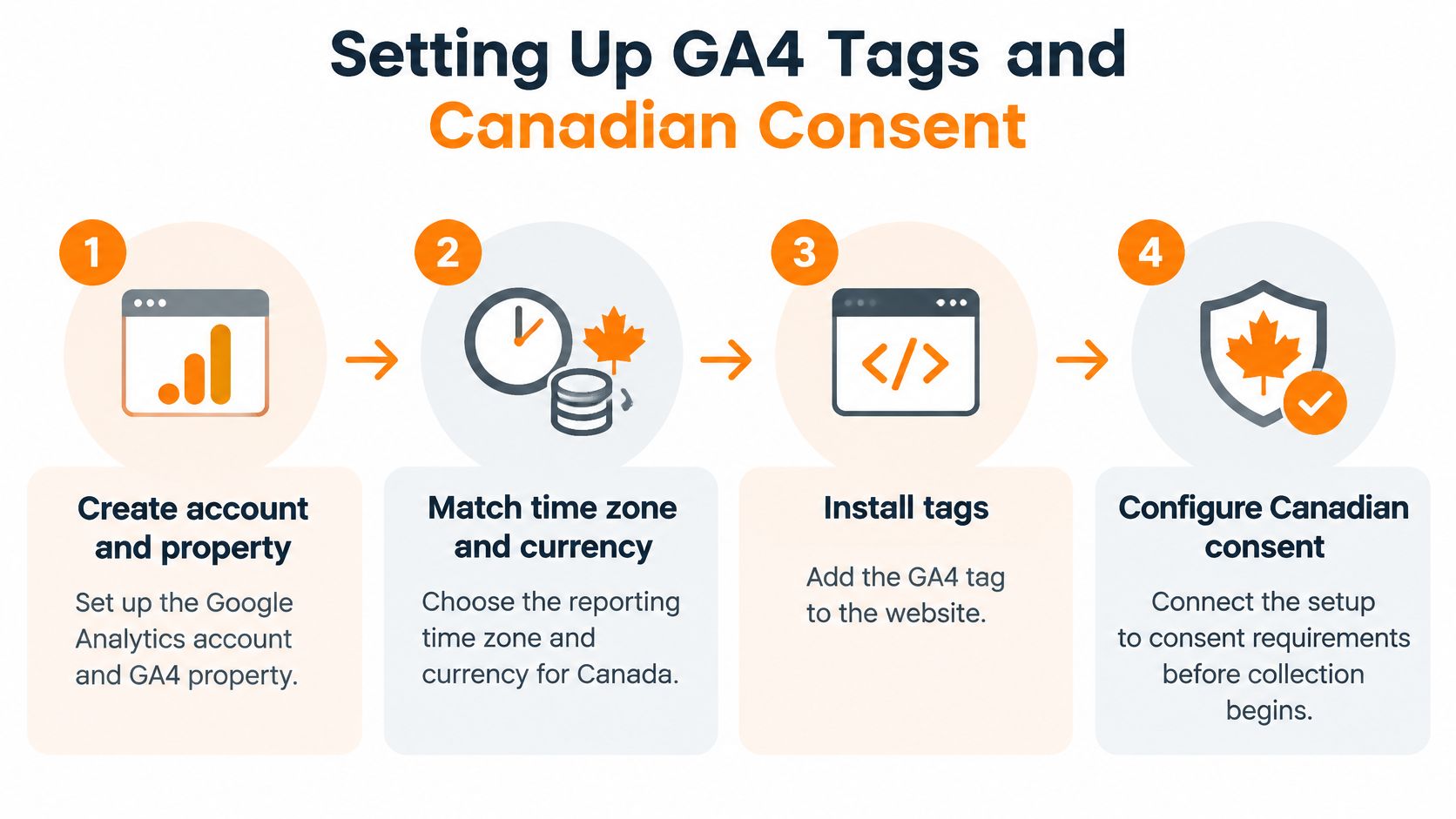
Setting Up GA4 Tags and Canadian Consent
Build the account before you argue about reports. Create a Google Analytics account, then a GA4 property named for the business, not for a single campaign. Set the reporting time zone to the place the team works, usually Pacific time for a B.C. company, and set the currency to Canadian dollars so later revenue isn't converted by habit.
Install the tag through Google Tag Manager, not by pasting the snippet into random templates. One container, one Google tag, and a measurement ID copied from the web data stream keep later edits in one place. Enhanced measurement can stay on for basic page views, then get trimmed if a custom event will replace an unreliable automatic one.
Document the data flow before you publish
The Office of the Privacy Commissioner of Canada states that organizations are generally required to obtain meaningful consent for collecting, using, and disclosing personal information. Write down four facts before the container goes live: what GA4 receives, which vendors process it, where consent is collected, and how long reports are kept.
A consent banner has to offer a real choice. Analytics storage stays denied until the visitor gives permission. A banner that arrives pre-accepted doesn't meet that standard. Test both journeys in Tag Assistant and GA4 DebugView. The granted path should show the Google tag and later events. The denied path should not store analytics anyway.
Keep people out of the parameters
Canadian organizations should practise data minimization from the first event.
- Don't send identifiers: names, email addresses, phone numbers, health details, and other identifying values stay out of event parameters.
- Limit who can see the property: least-privilege roles, not a shared login for the whole office.
- Shorten retention: keep data only as long as reporting still needs it.
- Annotate changes: when consent mode or tagging changes, note it on the report so a drop in Vancouver traffic isn't read as weaker marketing.
Aggregated patterns, such as form completions by channel, are the point. Building a profile of one visitor is not. If Google Ads will later receive key events, keep that link separate from the consent test, and treat Google Ads conversion tracking as its own check rather than assuming the analytics tag already did the job.
A thinner consented dataset is still a dataset you can defend. A fuller one collected before permission is a problem you will have to explain.
Tracking Events Conversions and Revenue Outcomes
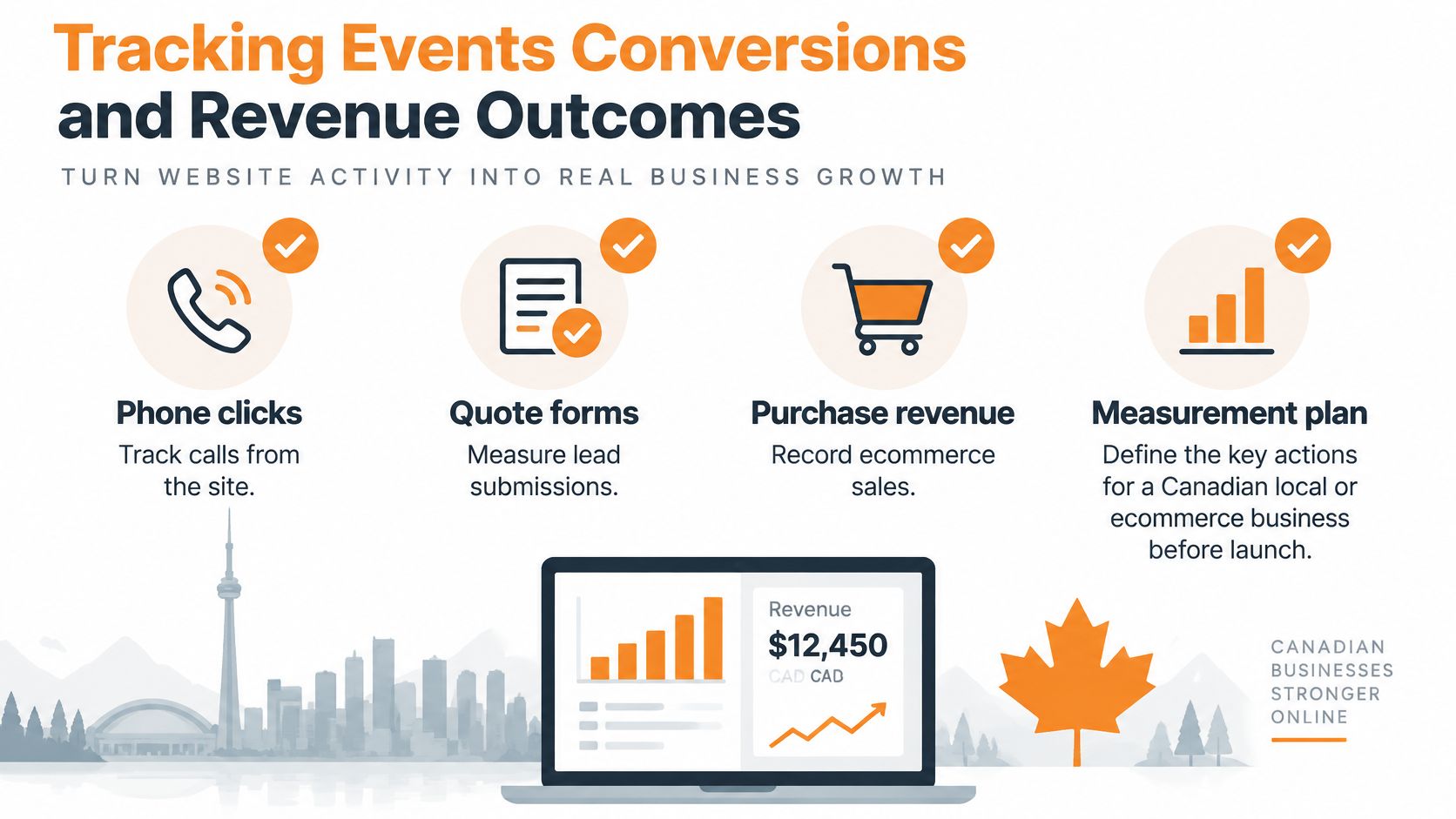
Once the tag only fires with consent, name the few actions that prove the site is working. For a Canadian local or ecommerce business, start with phone clicks, quote-form submissions, appointment bookings, purchases, and qualified leads. Write that list before you open Tag Manager. If an action isn't on the list, it doesn't become a key event.
Statistics Canada reports that 32% of Canadian businesses received e-commerce orders in 2023, while Canadian e-commerce sales totaled $347 billion. That scale is why outcome measurement beats a traffic total. A store can have busy sessions and still miss the orders that make up those sales.
One event per meaningful action
Create one GA4 event for each action on the plan. In Google Tag Manager, use a trigger that matches the moment: the form's success state, a click on a tel: link, the booking confirmation page, or the purchase confirmation. Mark only those business outcomes as key events. A scroll, a menu click, or every page view can stay an ordinary event.
Attach parameters that help a later report without identifying anyone.
- Service area: Vancouver, Surrey, or another city you serve.
- Product category: the shelf or service line, not the customer's condition.
- Lead value: a planned dollar value for a qualified form, if finance has agreed it.
- Traffic source: so paid and organic don't collapse into one blob.
UTM names should stay consistent for Canadian campaigns: province, city, service line, and campaign intent. Never put a name, email, phone number, or health detail in a URL or an event parameter. The same rule covers cannabis, CBD, and wellness journeys where the form itself may be sensitive.
Failures that inflate the score
Three mistakes show up constantly. Duplicate purchase events count one order twice when the thank-you page reloads. Treating every page view as a conversion makes every channel look successful. Missing cross-domain tracking drops the sale or the booking when payment or scheduling happens on another domain.
Validate each event in GTM Preview, DebugView, and the Realtime report before you publish. Then compare GA4 with the CRM or payment platform every week. Judge a channel by qualified leads or revenue divided by sessions, not by raw event counts divided by users. If the payment platform says 40 orders and GA4 says far more, fix the tag before you praise the campaign.
Reading Reports That Change Marketing Decisions
Events only help after someone reads them on a schedule. Open the last 30 days, then set a longer comparison beside it. Start with acquisition by channel, landing page, device, and geography. Only then look at the key events those slices complete. A single engagement rate is context, not a verdict.

What a local owner actually compares
For a service business, put Vancouver organic visits next to paid visits from other B.C. communities. Check the landing page, the device, and whether the key event fired. Mobile organic traffic that calls is a different decision from desktop paid traffic that bounces on a page written for another city.
For ecommerce, separate product-category purchases from cheap leads that never become profitable orders. A channel can win on form fills and still lose once returns, cancellations, and margin show up elsewhere.
Google's Canada documentation confirms that GA4 is the current measurement platform replacing Universal Analytics. It is usually strongest for behavioural and acquisition patterns. A CRM, phone system, booking tool, or transaction platform is better for lead quality, margin, cancellations, and lifetime value.
Where GA4 should step aside
Define a qualified lead in the sales system, and make sure GA4 captured source, medium, and landing page for the visit that started it. Export or import the offline outcome, then stop spending toward conversions that look efficient in GA4 and fail in the sales record. A $20 lead that never answers the phone is not cheaper than a $60 lead that books.
A monthly view the owner can reopen is enough:
| Check | Question it answers |
|---|---|
| Channel and geography | Did Vancouver organic differ from paid traffic elsewhere? |
| Landing page and device | Did the page and the phone or desktop path match the offer? |
| Key events versus CRM | Did the analytics count survive contact with real orders? |
That table is a decision rule. If the CRM contradicts GA4, believe the system that holds the money or the appointment, then repair the tag. Teams that want a standing view of these joins can look at reporting and analytics as the habit, not as another gallery of default reports.
A short walk-through of the report layout helps the first time you build that monthly view.
Don't optimise toward the cheapest conversion GA4 can count. Optimise toward the outcome the other system still respects a month later.
Choosing How Far to Configure Analytics
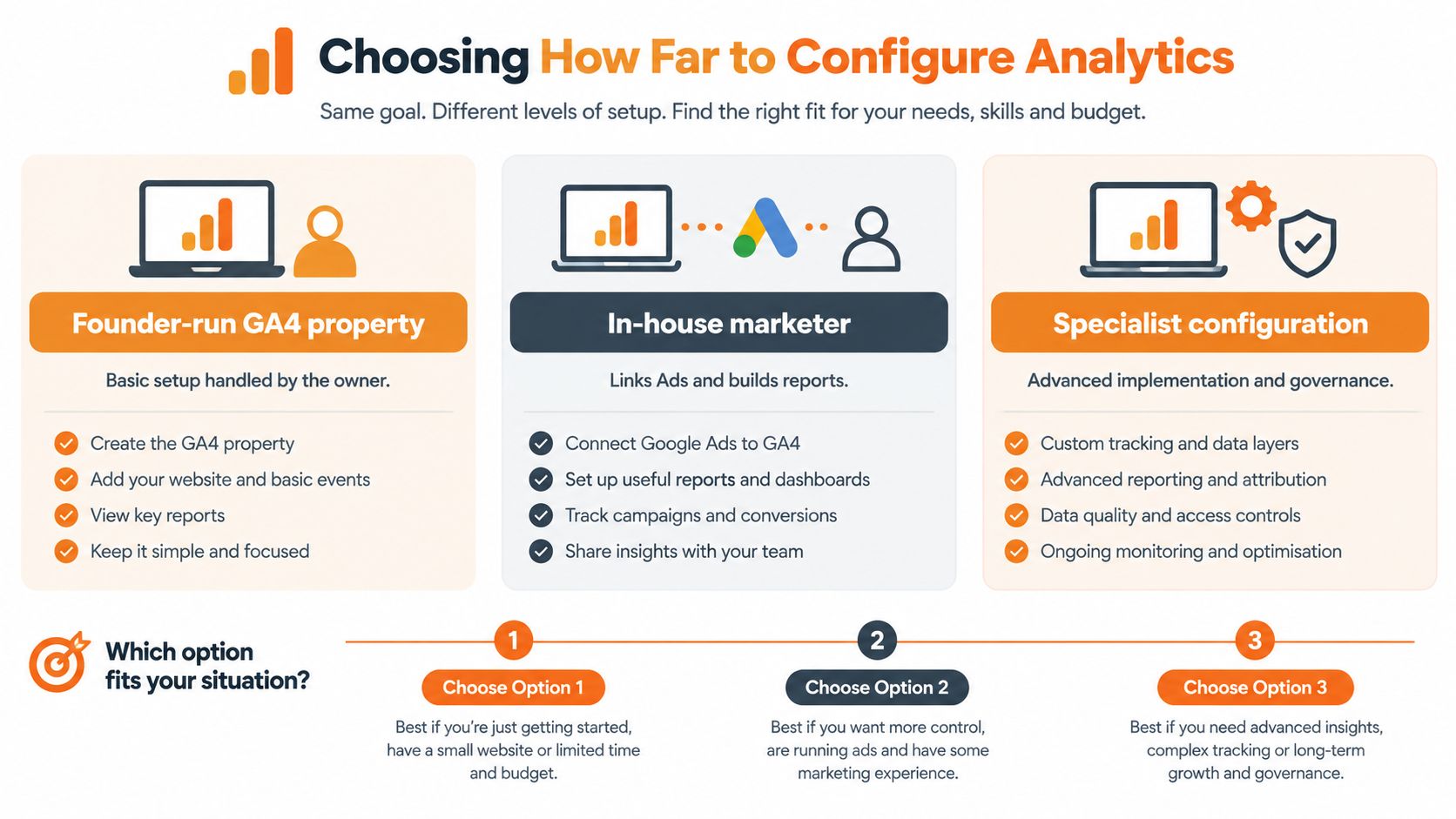
Depth is a business choice, not a badge for finishing every setting. Three levels cover most Canadian sites: a founder-run property, an in-house marketer who links ads and builds reports, or a specialist configuration when consent, bookings, and locations get hard to govern.
Google states that GA4 provides country-level controls for data collection and usage, and that consent signals affect measurement, advertising personalization, and remarketing. Customers must inform users about stored information and let them grant or deny consent. A more complete dataset isn't automatically better than privacy-safe, decision-relevant measurement. Denied consent will shrink reported users, sessions, attribution, and conversions. Annotate that shift instead of chasing a user-level record you were never meant to keep.
Three depths, one table
| Situation | Keep in-house | Bring in a partner |
|---|---|---|
| One site, a few lead actions, the owner reads reports monthly | Founder-run GA4 property with GTM, a real consent choice, and weekly CRM checks | Only if consent testing or cross-domain booking keeps failing |
| Ads spend is material and someone on staff can own tags | In-house marketer links Google Ads, builds the monthly view, and reconciles revenue | When duplicate purchases or broken UTMs keep distorting bids |
| Health, cannabis, CBD, wellness, or several locations | The team still owns the business definitions of a qualified lead | Specialist configuration for consent, aggregated reporting, and revenue reconciliation |
A founder-run setup is enough when the site, the form, and the payment page share one domain and the owner will open the report. An in-house marketer earns the next step when paid media needs the same key events GA4 already validated. Specialist help fits when the journey is regulated or the booking tool sits on another domain.
Juiced Digital, a Vancouver agency, is one such partner for local businesses and ecommerce brands. The team combines AI-driven SEO, paid advertising, conversion-rate work, and digital PR, including health, cannabis, CBD, and functional mushrooms, where measurement has to stay compliant and aggregated.
Pick the shallowest depth that still answers the budget question. Extra tags don't repair a lead definition nobody wrote down.
Put Your Google Analytics Setup to Work
Run one pass this week before you touch spend. You're checking whether the property can support a decision, not whether every report in the left navigation has been opened.
A short verification
- Confirm the clock and the currency. The property time zone and Canadian dollar setting should match how finance already reports.
- Publish only consented tags. Analytics storage stays off until the visitor chooses, and both the granted and denied paths have been watched in DebugView.
- Prove one outcome. Trigger a single lead or purchase and see that event arrive once, with service area or product category and without a name, email, phone number, or health detail.
- Match a week of key events to the CRM or payment tool. If the counts disagree, pause any budget change until the tag or the cross-domain setup is fixed.
Read the slice before you move money
Segment by geography, device, channel, and landing page. Vancouver organic traffic on a phone is not the same bet as paid traffic from another community on a desktop. If a consent or tagging change landed during the dip, annotate the report so the loss of measurement isn't treated as a loss of demand.
For health, wellness, cannabis, CBD, and other sensitive journeys, the report should show aggregated rates by channel or region. It should not be a hunt for an individual visitor. If a parameter could identify someone, remove it and accept the thinner report.
If the week of key events matches the CRM, you have a number you can defend in a budget meeting. If it doesn't, more dashboards won't close the gap.
The practical next calculation is what those matched outcomes returned against the media and time you spent. A plain method for that comparison sits in this guide to how to calculate marketing ROI. Use it after the events are trustworthy, not before.
When the property, the ads link, and the conversion definitions still don't line up with local leads or ecommerce revenue, get a second set of eyes on the setup rather than adding another vanity report.
Juiced Digital helps Canadian local businesses and ecommerce brands turn a GA4 property into privacy-safe lead and revenue measurement, alongside SEO, paid media, and conversion work. If your events, consent setup, or ads link still don't match the bookings and orders you can see in the business, book a free consultation or audit. Visit Juiced Digital to review the property before the next budget change.