
SEO meta tags are essentially little snippets of code tucked away in your website's HTML. While they're mostly invisible to someone browsing your site, they're incredibly important for search engines like Google. They act as a guide, telling search engines what your page is all about and influencing how it shows up in search results.
Why SEO Meta Tags Are Still a Big Deal
Think of a webpage as a book and the Google search results page as a massive, sprawling library. In this library, your SEO meta tags are the book's cover, its title, and that compelling little summary on the back. You could have written a masterpiece, but if the cover is dull and the blurb is confusing, people will just grab the book next to it. That's exactly what meta tags do for your content online.
They are your first handshake with a search engine, offering a quick, clean summary of what your page offers. This first impression is critical; it often decides whether someone clicks through to your site or just keeps on scrolling.
From Old-School Tricks to Modern Essentials
The way we use meta tags has changed quite a bit over the years. Back in the early days of the web, it was easy to game the system. The infamous "keywords" meta tag, for example, used to be a big deal until it was abused with keyword stuffing. As a result, Google now largely ignores it.
But don't let that fool you into thinking meta tags are a thing of the past. They're more important than ever. Today's SEO strategy zeroes in on a select group of tags that have a real impact on three key areas:
- Crawling and Indexing: Tags like the robots and canonical tags give you direct control. You can tell search engines which pages to look at and which version of a page is the "official" one.
- Ranking Signals: The title tag is still one of the most powerful on-page ranking factors. It's a massive clue to Google about your page's main topic.
- Click-Through Rate (CTR): A great title tag and a compelling meta description are your ad copy in the search results. They need to convince people that your page has the answer they're looking for.
This map really drives home how central these tags are to hitting your SEO goals.
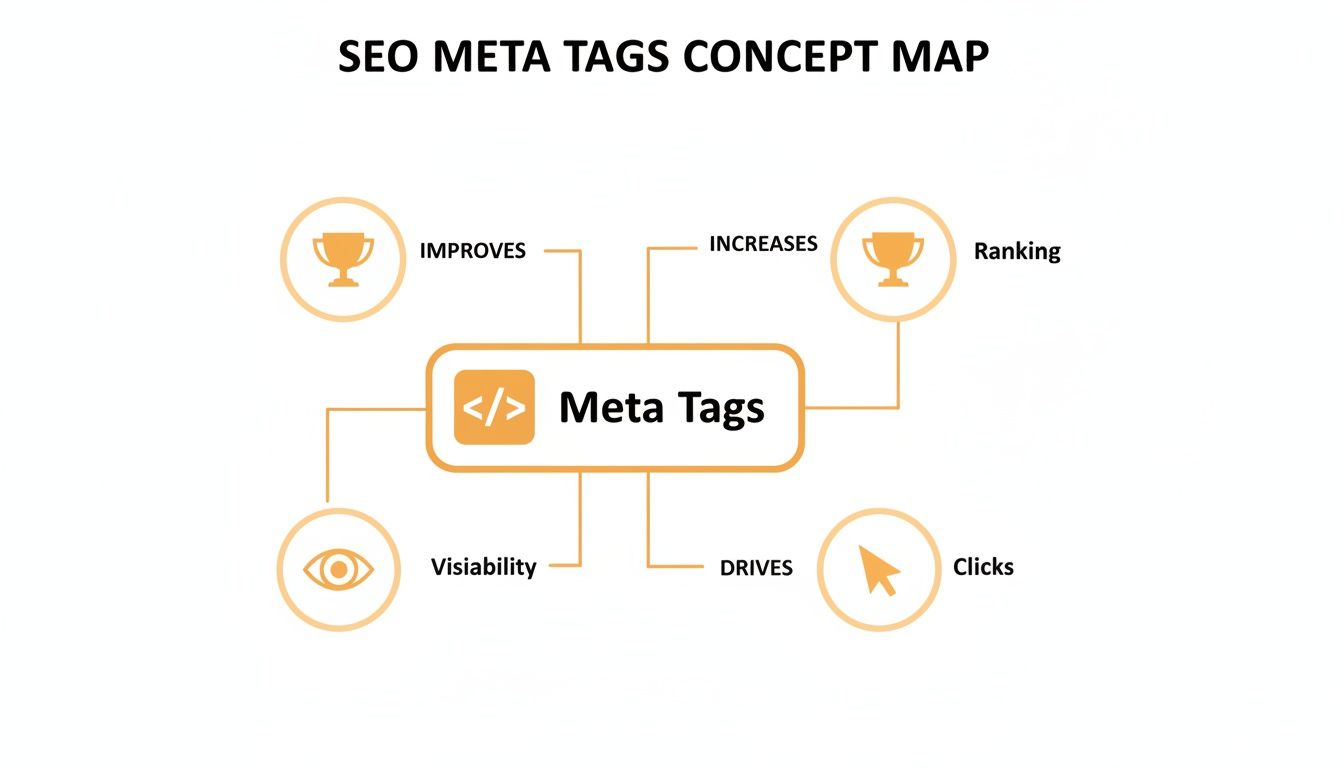
As you can see, these simple bits of code are directly tied to getting more visibility, earning better rankings, and ultimately, driving more clicks to your site.
Your Roadmap to Mastering Meta Tags
Getting meta tags right is about knowing which ones to focus on and how to make them work for you. It's not just about filling in a field in your website's backend; it's about crafting a strategic message for both search engines and your potential customers.
The real art of optimizing meta tags is finding that sweet spot between technical precision for search engines and persuasive, human-friendly language for users. Nailing this balance is what turns a good search result into a great one.
To give you a clear overview of what we'll be covering, here’s a quick-reference table summarizing the most important meta tags. Each one has a unique and vital job to do in a well-rounded SEO strategy.
Key SEO Meta Tags and Their Primary Functions
| Meta Tag Type | Primary Function | Impacts SERP Appearance | Influences Ranking |
|---|---|---|---|
| Title Tag | Defines the page title in search results and browser tabs | Yes | Direct Factor |
| Meta Description | Summarizes the page's content to entice user clicks | Yes | Indirect (CTR) |
| Robots Meta Tag | Provides instructions to search engine crawlers | No | Direct Factor |
| Canonical Tag | Specifies the "master" version of a page to avoid duplicate content | No | Direct Factor |
This table serves as our starting point. Now, let's dive into each of these tags to understand exactly how to put them to work.
Crafting Your Most Important SEO Meta Tags

While there are plenty of meta tags working behind the scenes, two of them are the absolute heavy hitters that directly shape how your brand appears on Google: the title tag and the meta description. If you're serious about SEO, getting these right isn't just a suggestion—it's essential. They are your primary tools for earning rankings and, just as importantly, winning clicks.
Think of them as your digital storefront. Your title tag is the sign above the door, and your meta description is the compelling window display. Get them right, and you’ll have a steady stream of qualified traffic walking in. Get them wrong, and you might as well be invisible, no matter how amazing your content is.
The Title Tag: Your Digital Headline
The title tag is, without a doubt, the most critical of all search engine optimization meta tags. It’s that blue, clickable headline you see for every single search result, and it pulls double duty. First, it's a powerful and direct ranking signal telling Google what your page is all about. Second, it’s the very first thing a user reads, making it your best shot at grabbing their attention.
A great title tag strikes a delicate balance. It needs to be descriptive enough for Google, compelling enough for a human, and short enough to not get cut off.
Here are the core principles for writing titles that work:
- Front-Load Your Main Keyword: Try to get your most important keyword as close to the beginning of the title as you can. This gives it more weight with search engines and instantly shows users they've found what they're looking for.
- Respect the Pixel Limit: Google doesn't actually count characters; it measures pixel width. As a solid rule of thumb, keeping your titles under 60 characters usually prevents them from getting truncated in the search results.
- Make It Unique and Compelling: Every single page on your website needs its own unique title. Don't be afraid to use action words, ask a question, or highlight a key benefit to make your title pop.
Real-World Title Tag Examples
Let's break down a few examples to see this in practice.
Bad Title: Services | Our Company
This is just plain generic. It tells users and search engines next to nothing, failing to use any meaningful keywords.
Good Title: AI-Powered SEO Services for E-Commerce | Juiced Digital
Now this is much better. It leads with the primary keyword ("AI-Powered SEO Services"), clearly identifies the target audience ("for E-Commerce"), and tacks on the brand name for good measure.
Here’s what that looks like in your website’s HTML:
The Meta Description: Your 160-Character Sales Pitch
Next up is the meta description. This is the short snippet of text that appears right under your title tag in search results. While Google has said it’s not a direct ranking factor, its impact on your click-through rate (CTR) is massive. A persuasive meta description can easily be the tie-breaker that gets a user to click on your page instead of a competitor's.
Think of your meta description as the ad copy for your webpage. Its sole job is to convince the searcher that your page holds the best answer to their query and is worth their click.
A key historical shift in how businesses approach search engine optimization meta tags came when Google stopped using the keywords meta tag for rankings, a move that prompted a focus on high-value meta descriptions. In response, California small businesses began prioritizing tools like Google Keyword Planner for optimization, leading to measurable traffic uplifts—keywords 10-15 words long can get 2.62x more clicks than single words, perfect for long-tail meta titles in competitive markets. Discover more insights about keyword density and its impact on the East Bay SBDC website.
To craft a compelling meta description, follow this simple formula:
- Describe the Page's Value: Clearly and concisely explain what a user will get from the page.
- Include Your Keyword Naturally: Weave your primary keyword into the description. Google often bolds the searcher's query in the results, which makes your listing stand out.
- Add a Call-to-Action (CTA): Give them a nudge. Use phrases like "Learn more," "Discover how," "Shop now," or "Get a free quote" to encourage that click.
Try to keep your meta descriptions around 155-160 characters. Anything longer will probably get cut off, which can weaken your message. For a deeper dive, check out our guide on optimizing meta descriptions for SEO success.
Here’s an example of a meta description in HTML:
By mastering both the title tag and meta description, you create a powerful one-two punch in the search results, boosting your visibility and attracting more of the right kind of traffic to your site.Controlling Crawlers with Technical Meta Tags
Beyond the title and description that users see, there's a whole other set of search engine optimization meta tags working behind the scenes. These technical tags are like a sophisticated traffic control system, giving you direct command over how search engine bots—or crawlers—interact with your website. They're the tools you use to sidestep indexing problems, fix duplicate content issues, and make sure your site works perfectly on a global scale.
Think of it this way: if your title and description are the public-facing storefront, these technical tags are the "staff only" signs and instructions you leave for the delivery drivers (the crawlers). They ensure everything runs smoothly so the right products land on the right shelves. If you want to dive deeper into how these bots work, our guide on what a web crawler is is a great place to start.

The Robots Meta Tag: Your Digital Gatekeeper
The robots meta tag is your go-to tool for giving search engines direct instructions, one page at a time. It's a simple but incredibly powerful piece of code that tells a crawler whether it should index a page or follow the links on it.
This is a lifesaver for managing pages you don't want showing up in search results. Think about things like internal search pages, "thank you" pages after someone fills out a form, or thin content pages that don't offer much value. By keeping these pages out of the index, you help Google focus its energy on your most important, high-quality content.
Here are the most common instructions you can give:
index, follow: The default setting. It tells crawlers to index the page and follow all its links.noindex, follow: This tells crawlers not to add the page to their index but gives them permission to follow the links to discover other pages.index, nofollow: This directive tells crawlers to index the page but not to follow any of the links on it.noindex, nofollow: The most restrictive command. It tells crawlers to completely ignore the page and all of its links.
Example HTML:<meta name="robots" content="noindex, follow">
Solving Duplicates with the Canonical Tag
Duplicate content is a really common issue, and most of the time, it's completely unintentional. It happens when the same (or very similar) content shows up on multiple URLs, which confuses search engines about which page they're supposed to rank. This often pops up with e-commerce product variations, printer-friendly versions of pages, or syndicated content.
The canonical tag is the elegant solution to this headache. It's a link tag you place in the <head> of a webpage that points to the "master" or preferred version of that page.
By using a canonical tag, you're not blocking crawlers. You're simply saying, "Hey Google, I know these pages look similar, but this is the original one I want you to pay attention to and rank." This consolidates your ranking signals and prevents you from competing with yourself for keywords.
Imagine you have a product page that can be accessed through multiple URLs because of different tracking parameters. The canonical tag on all those variations would simply point back to the clean, primary product URL.
Example HTML:<link rel="canonical" href="https://yourwebsite.ca/main-product-page/" />
Going Global with the Hreflang Tag
For any business with an international audience, the hreflang tag isn't just nice to have—it's essential. This technical tag tells search engines you have different versions of a page for different languages or geographic regions.
When you implement it correctly, a user in Quebec will see your French-language version, while a user in California gets your US English version. This doesn't just improve the user experience; it also stops Google from flagging your regional pages as duplicate content.
The hreflang tag uses a specific format of language and, optionally, region codes.
en-ca: English for Canadafr-ca: French for Canadaen-us: English for the United Statesen-gb: English for Great Britain
Example HTML:<link rel="alternate" href="https://yourwebsite.ca/fr/" hreflang="fr-ca" /><link rel="alternate" href="https://yourwebsite.ca/en/" hreflang="en-ca" />
The Essential Viewport Meta Tag for Mobile
Last but not least, the viewport meta tag is a simple but vital piece of code for our mobile-first world. This tag tells a browser how to control the page's dimensions and scaling on different devices.
Without it, mobile browsers often just render the page at a desktop screen width and then shrink it down, forcing users to pinch and zoom to read anything. Including the viewport tag is a cornerstone of responsive design and a major signal for Google's mobile-friendliness evaluation. In fact, a missing viewport tag can seriously hurt your mobile rankings.
Example HTML:<meta name="viewport" content="width=device-width, initial-scale=1.0">
Making Your Search Results Stand Out
On a packed search results page, just being technically perfect isn't enough to win. Your listing has to grab a searcher's attention and give them a compelling reason to click your link over all the others. This is where a few powerful tools—specifically advanced meta tags and structured data—come in to play. They can transform your standard blue link into a rich, informative snippet that’s impossible to ignore.
Think of it this way: your title tag and meta description are like the basic sign above your shop's door. It tells people who you are. But adding things like Open Graph tags and Schema markup is like creating a stunning window display—complete with your best products, special offers, and five-star reviews. Suddenly, you’re giving people every reason to walk into your store instead of the one next door.
Controlling How You Look on Social Media
Ever shared a link on Facebook, LinkedIn, or X (formerly Twitter) and had it pull a random, pixelated image and a weird chunk of text? It looks unprofessional and certainly doesn't make people want to click. This is exactly the problem that Open Graph (OG) tags and Twitter Cards solve.
These are just small snippets of code you add to your page’s <head> section. They act like a set of instructions, telling social platforms exactly which title, description, and image to use for a link preview. You get total control, ensuring your brand looks sharp and consistent everywhere it's shared. The result? More clicks and more valuable traffic from social media.
You'll want to define a few key tags:
og:title: This is the headline that will appear on the social media post.og:description: Think of it as a meta description, but written to hook a social media audience.og:image: This is crucial. It’s the URL for the eye-catching image you want to feature.og:url: The official, canonical URL of the page you're sharing.
Twitter uses its own system, called Twitter Cards, but it's smart enough to use your OG tags as a backup if specific Twitter tags are missing.
Unlocking Rich Snippets with Schema Markup
Now, let's talk about supercharging your appearance in the actual search results. While it's not a meta tag in the traditional sense, Schema markup (also known as structured data) is a game-changer. It’s a special vocabulary of code you add to your HTML that helps search engines understand the meaning behind your content.
When Google knows that "4.5/5" is a rating, that "$19.99" is a price, or that "30 minutes" is a recipe's cook time, it can feature that information directly in the search results. These enhanced listings are called rich snippets, and they are pure gold for SEO.
Rich snippets can dramatically increase your click-through rate (CTR) without you needing to improve your ranking by a single position. They simply make your listing bigger, more visually appealing, and more helpful, which often pushes your competitors further down the page.
You can earn all sorts of rich snippets with the right Schema, including:
- Review snippets that proudly display star ratings.
- FAQ snippets that show a dropdown of common questions and answers.
- Product snippets that highlight price, availability, and reviews.
- Event snippets that list dates, times, and venue locations.
The difference between a plain result and a rich one is stark. This table shows just how much of an advantage Schema gives you.
Comparing Standard Snippets vs Rich Snippets
| Feature | Standard Google Snippet | Rich Snippet (with Schema) |
|---|---|---|
| Visual Elements | Plain text only | Star ratings, images, prices |
| Information Provided | Title, URL, and description | Specific details (e.g., cook time, event date) |
| User Engagement | Lower CTR | Significantly higher CTR |
| SERP Real Estate | Standard size | Larger, more prominent listing |
By putting these advanced tags and markup to work, you stop just doing basic SEO. You start actively managing how your brand is seen on search engines and social media, creating a powerful and cohesive presence that pulls in more—and better—traffic.
Auditing and Optimizing Your Meta Tags

Knowing what a perfect meta tag looks like is one thing. Actually applying that knowledge across hundreds or even thousands of pages on your website? That's a whole different ball game.
Think of a meta tag audit as your roadmap for improvement. It’s the process that takes you from theory to tangible results, helping you systematically crawl your site to find and crush the errors holding back your search performance. This is how you spot those critical, at-scale issues like missing title tags, duplicate meta descriptions, or tags so long they get chopped off in the search results.
By digging in and identifying these problems, you can start prioritizing the fixes that will give you the biggest bang for your buck in organic traffic and click-through rates.
Building Your Meta Tag Audit Toolkit
To do this properly, you need the right tools to crawl your website the same way a search engine does. These crawlers gather all the data you need on your search engine optimization meta tags in one place, saving you from the nightmare of checking every single page by hand.
You can get a really long way with just two industry-standard tools:
Google Search Console (GSC): This is Google's free platform, and it's your direct line to the search engine itself. While it won't crawl your site on demand for a technical audit, its "Performance" report is gold. It helps you pinpoint pages with a low click-through rate (CTR), which is often a dead giveaway that your meta tags need some love.
Screaming Frog SEO Spider: This is a powerful site crawler that runs right from your desktop. The free version alone can crawl up to 500 URLs, giving you detailed reports on all your title tags and meta descriptions—their content, length, and whether you have any pesky duplicates.
Using these two together gives you the full picture, covering both your on-page technical setup and your real-world performance. If you need a hand finding your sitemap to get these tools running, our guide on how to find a sitemap will walk you through it.
Your Step-by-Step Meta Tag Audit Checklist
Okay, you've run your crawl and have a mountain of data. Now what? It's time to analyze it. Use this checklist to work through the findings methodically and figure out what to tackle first.
- Find Missing Title Tags: Every single indexable page needs a title tag. No exceptions. Start by adding unique titles to any pages that are missing one.
- Identify Duplicate Title Tags: This is a huge red flag for search engines because it creates confusion. Make sure every important page has its own unique title.
- Check for Long or Short Titles: Titles over 60 characters often get cut off, while super short ones are just a wasted opportunity to sell your page.
- Find Missing Meta Descriptions: A missing description means Google will make one up for you, and its auto-generated snippets rarely entice clicks.
- Identify Duplicate Meta Descriptions: Just like with titles, your descriptions should be unique for each page to send clear, distinct signals to Google.
- Check Meta Description Length: The sweet spot is 150-160 characters. This is usually enough room to convey your message without getting truncated.
Pro Tip: Don't try to boil the ocean. Prioritize your audit by starting with your most important pages—your homepage, key service or category pages, and your best-performing articles. Fixing the issues on these high-value pages will deliver the fastest results.
Measuring the Success of Your Optimizations
An audit isn't truly finished until you've measured the impact of your hard work. The number one metric you need to watch here is the organic click-through rate (CTR) for the pages you updated.
After you've rolled out your shiny new meta tags, jump back into Google Search Console. In the "Performance" report, you can filter by a specific page URL and compare its CTR for the 28 days before your changes to the 28 days after. Seeing a real lift in that number is the ultimate confirmation that your new titles and descriptions are connecting with searchers.
This data-driven approach is what separates the pros from the amateurs. A simple audit isn't just about cleaning up a spreadsheet; it's a powerful strategy for driving real, measurable growth.
Common Questions About SEO Meta Tags
Even when you've got the theory down, a few practical questions always pop up once you start digging into SEO meta tags. Let's tackle some of the most common ones I hear. This should clear up any lingering confusion and help you handle those tricky "what if" moments that come up in every SEO project.
Getting these little details right can be the difference between a campaign that just sits there and one that truly takes off.
How Long Does It Take to See Results After Updating Meta Tags
Patience is key here—the impact of updating your SEO meta tags is never instant. Once you hit publish, Google has to come back to re-crawl and then re-index your page. That process can take anywhere from a few hours to several weeks, depending on how often Google visits your site.
Want to give it a nudge? You can use the 'Request Indexing' feature in Google Search Console to encourage a faster crawl. You'll likely spot changes in your click-through rate (CTR) in your analytics within a couple of weeks. But for any meaningful shifts in keyword rankings, give it a month or more for things to settle as Google watches how users interact with your new listing.
My advice is to keep a close eye on your performance data for the next 30 to 60 days. That timeframe gives you a much clearer picture of how your optimizations are really panning out.
Should My Main Keyword Be in Both the Title and Description
Yes, one hundred percent. This is non-negotiable, fundamental on-page SEO. Your primary keyword absolutely has to be in the title tag; it's one of the strongest ranking signals you can send to search engines.
Now, while the meta description isn't a direct ranking factor, putting the keyword there is just as crucial for attracting clicks. When someone's search term matches words in your description, Google usually bolds them in the search results. That little bit of bold text grabs the eye, reassures the searcher your page is relevant, and can seriously boost your click-through rate. The trick is to weave it in naturally so it sounds compelling, not stuffed.
Is an SEO Plugin Necessary for Managing Meta Tags
If you're using a CMS like WordPress, an SEO plugin like Yoast SEO or Rank Math is a must-have. I can't recommend them enough. These tools give you a simple interface on every page and post, so you can write custom title tags and meta descriptions without ever touching a single line of code.
They also come packed with other incredibly useful features:
- SERP Previews: See exactly how your listing will look on Google.
- Counters: Keep your titles and descriptions from getting cut off.
- Technical Settings: Easily add
noindexor canonical tags.
Without a plugin, you'd be stuck editing your website's theme files directly—a risky and complicated task. That's not a great idea for most people, and any changes you make could get wiped out the next time your theme updates. A plugin is simply the safest and most efficient way to go.
What Is the Most Common Meta Tag Mistake to Avoid
The single most damaging and common mistake I see is duplicate title tags and meta descriptions. It happens all the time, especially on e-commerce sites with generic product templates or any site where people create new pages without thinking about unique metadata.
Duplicate tags just create a mess for search engines. They force Google to guess which of your pages is the real authority for a keyword. This waters down your ranking potential and can lead to keyword cannibalization, where your own pages end up competing against each other in the search results.
If you do one thing, make it this: ensure every single important, indexable page on your site has a unique and descriptive title and meta description. It's one of the most powerful SEO fixes you can make.
Ready to turn these insights into measurable growth for your business? The team at Juiced Digital uses AI-driven strategies to optimize every aspect of your on-page SEO, from crafting compelling meta tags to building a technical foundation that search engines love. Let's build a plan that turns your rankings into real revenue. Get your free consultation today!
