

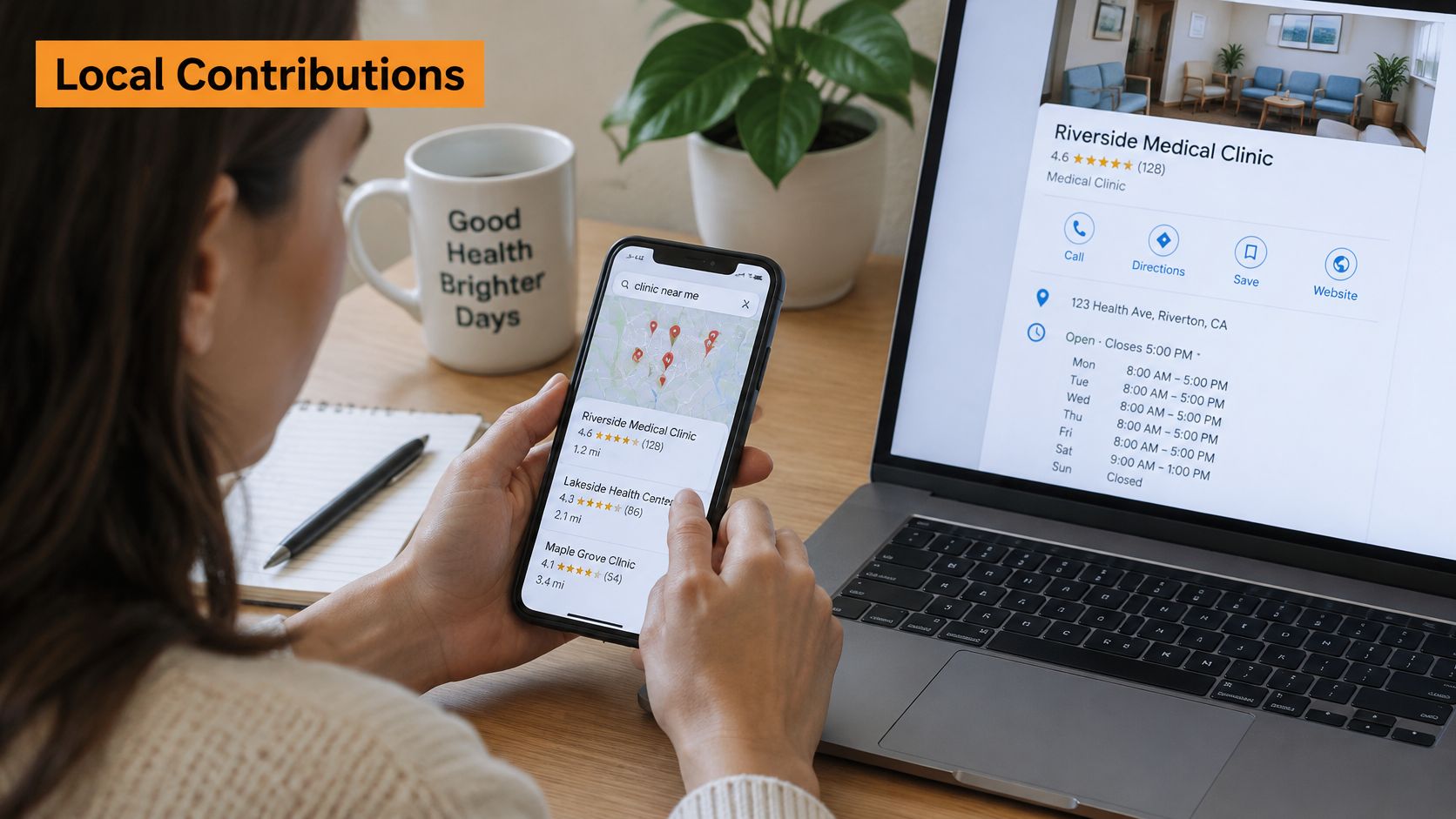
You're checking the clinic listing on your phone before the doors open. The rating looks solid, Saturday hours match what the receptionist told you, and there's a photo of the waiting room you recognise. None of that came from the clinic's own keyboard.
That gap is where Google Local Contributions sit. Patients and neighbours write much of the public record searchers trust, while the owner controls a narrower set of profile fields. Mix those jobs up, and you either chase volume that gets filtered, or you leave wrong hours sitting in public.
An individual can add a review or a factual suggestion. A verified owner can correct the profile fields they control. The safe order is to know which is which, fix what you own, and ask for honest feedback without tying a sensitive visit to someone's name.
What Google Local Contributions Are and Why They Matter
A patient opens Google Maps, sees a 4.6 rating, a photo of the waiting room, and Saturday hours that match the door sign. The clinic never typed any of that. A former patient did.
Google Local Contributions are the reviews, ratings, photos, questions, answers, and factual edits people add to places on Google Maps. Maps works like a shared community noticeboard. Anyone can pin an update, but Google checks each pin before it stays up.
That noticeboard is huge. After the Local Guides programme launched in 2015, Google's Maps update reported 150 million Local Guides worldwide by March 2021, and stated these contributors had produced more than 70% of the reviews, photos, and other user-generated content displayed on Google Maps since the programme began. Google Maps covers more than 200 million places globally. In 2020 alone, Local Guides added more than 8 million places, including businesses, services, parks, and public plazas, and updated business attributes such as restaurant takeout availability and dine-in status on more than 17 million places. These milestones are worldwide, not a California-only total.
The split that matters: individuals earn Local Guide credit. Business accounts and business pages do not.
An owner editing the profile isn't contributing in the points system. A customer uploading a waiting-room photo is. Blur that line, and staff end up posting as if they were patients. The listing then picks up content Google is built to remove.
Open the listing and scroll the review, photo, and edit history. Mark what customers added and what the owner set. That scan shows how much of the public record you don't control.
Contribution Types and Who Can Make Them
Two piles of information sit on every listing, and they don't follow the same rules.
Public feedback comes from individual customers. That covers ratings, reviews, photos, videos, questions, answers, and suggested corrections. Profile information is controlled by the verified owner or manager. That covers categories, service descriptions, and the images you upload inside the business profile.
The table answers the question owners ask first. Who can add each item, what it changes, and whether it earns Local Guide credit.
| Contribution | Who can make it | What it changes on the listing | Local Guide credit |
|---|---|---|---|
| Star rating and written review | Individual customers | Average rating and review text shown to searchers | Yes, for individuals |
| Photos and videos | Individual customers | Visual context for the place and its services | Yes, for individuals |
| Question and answer | Individual customers | Public answers shown on the listing | Yes, for individuals |
| Edit to hours, phone number or website | Individual customers | Suggested correction, reviewed before it appears | Yes, for individuals, after publication |
| Open or closed status | Individual customers | Flags a place as open or closed | Yes, for individuals |
| Missing place or new business report | Individual customers | Adds a place not yet on Maps | Yes, for individuals |
| Owner profile edits (categories, services, description, images) | Verified owner or manager | Direct changes to the business profile | No, business accounts do not earn credit |
What you can act on directly
Say a physio clinic in Kitsilano lists Monday to Friday on its website, but Maps still shows Saturday hours from last winter. A patient can suggest the correction. You, as the verified manager, can also change hours inside the profile without pretending to be that patient. Only the patient's suggestion can earn Local Guide credit, and only after Google publishes it.
Public edit suggestions are reviewed before they appear. A suggestion isn't live the moment someone taps send. Google doesn't publish a fixed wait before a contribution is visible or credited, so don't plan the week around a promised turnaround.
- Hours, phone, and website: A customer can suggest a fix. Match it to the website and the booking system before you treat the public version as truth.
- Open or closed status: A neighbour can flag you closed after a renovation. Check that flag the same day.
- Missing-place reports: Useful when a second location never appeared. Useless as a way to duplicate your own listing.
Watch the rows where an individual can change a fact. A stale phone number can be corrected by a customer, then checked by you against your own records.
You can't award the business profile Local Guide status. You can keep owner fields accurate, and you can read customer suggestions before searchers treat them as the current version.
How Contributions Shape Local Search Visibility
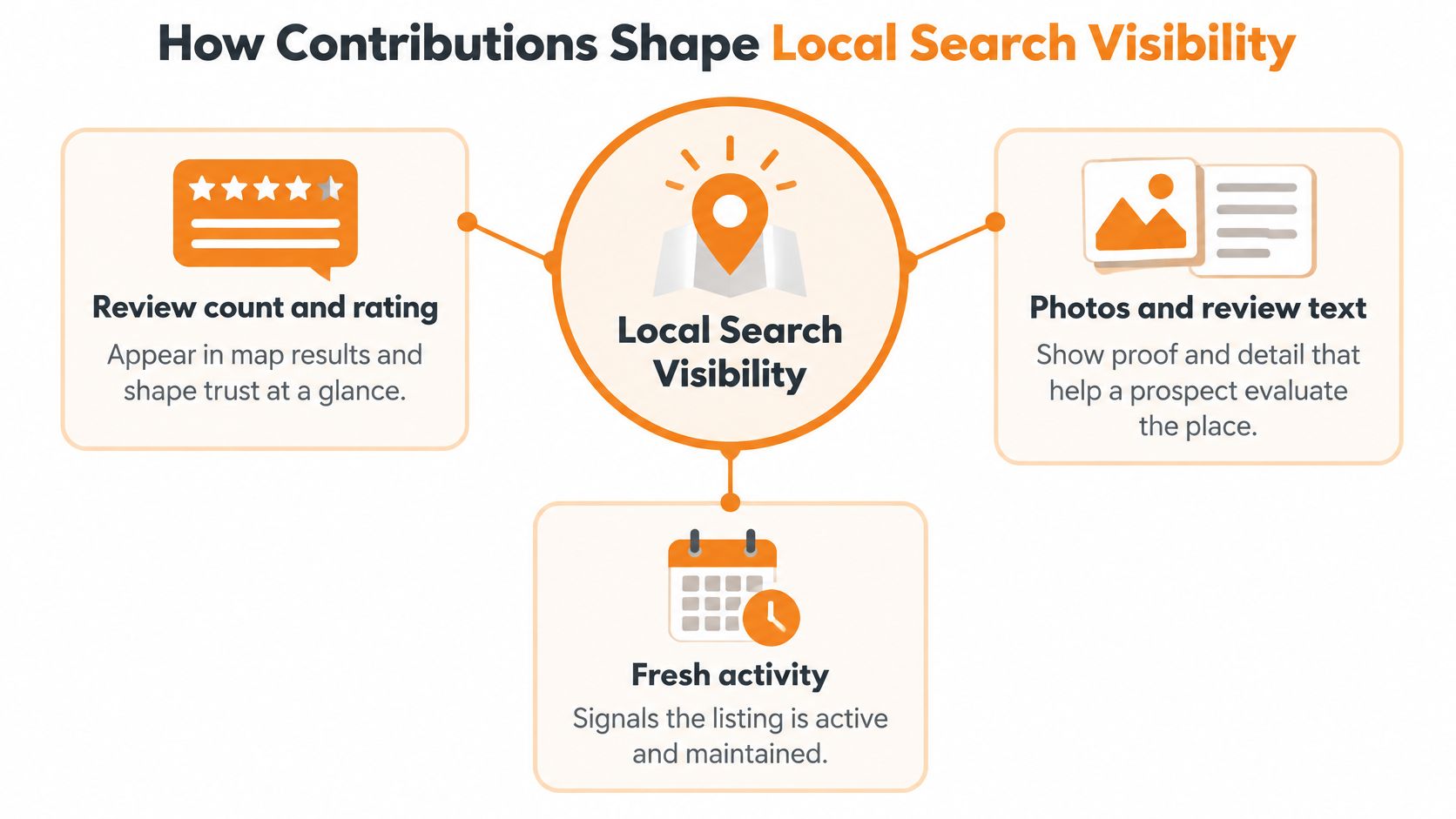
Three different things reach a searcher, and they don't do the same job. Google doesn't publish the weight of each one. Treat contributions as inputs to relevance, prominence, and trust, not as a switch.
Trust at a glance
Review count and star rating show up in the map results. A prospect judges trust before they read a sentence. There's no published formula that says a 4.8 outweighs a complete set of hours, so don't manage the listing as if stars were the only lever.
Words and pictures that match the search
Photos and review text give context that lines up with the words a person already has in mind. "Parking on the side street", "wheelchair access at the rear", or "same-day appointments" answer a real question. A polished logo doesn't. A customer's photo of the entrance ramp does.
Facts that turn a click into a visit
Hours, phone numbers, and open status decide whether a click becomes a call or a wasted trip. That's a conversion problem, not a ranking score Google has published. A complete, current listing is safer than a guess about which field moves you.
Say a Vancouver café leaves holiday hours off the listing. Callers hit a closed door on Boxing Day and book the competitor whose hours are complete. The café didn't lose because a review used fewer adjectives. It lost because the fact a stranger needed wasn't there. Thin, stale listings fall behind better-documented competitors in the same local results for that reason.
A contribution changes what a stranger sees. It doesn't come with a published score for how far that change moves you in the pack.
Audit your listing against the top three businesses already showing in those map results. Compare photo coverage, whether recent reviews name real details, and whether hours, phone, and open status match reality. For the wider picture of how those map results are built, our guide to local SEO ranking keeps reviews in proportion instead of treating them as a magic lever.
Policy Lines That Get Contributions Removed
Busy isn't the same as useful. A campaign that looks active can be the batch that gets filtered.
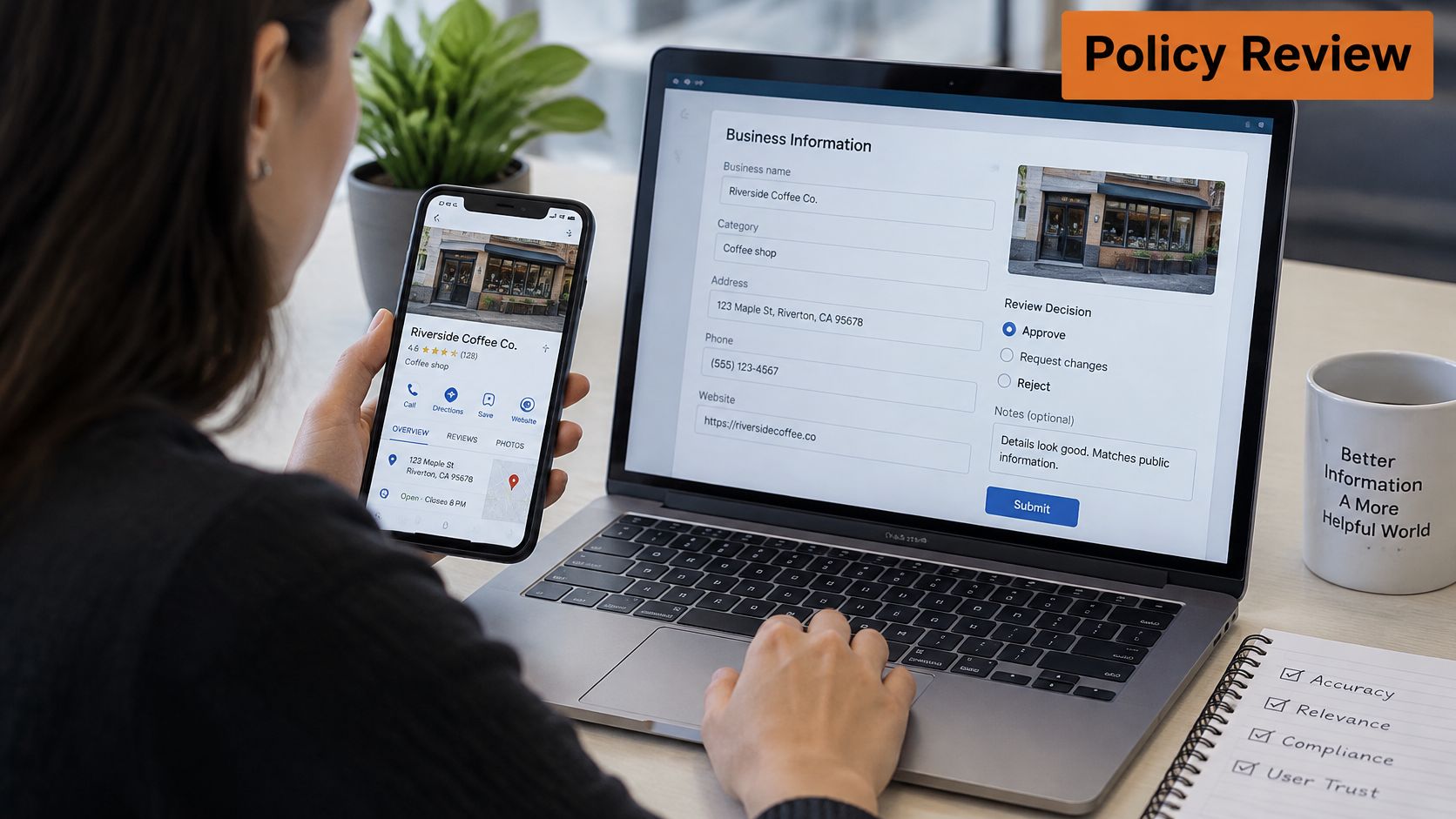
Google's contribution policies describe quality control that combines human review with machine-learning detection. Maps receives millions of contributions daily, and those controls look for fabricated reviews, copied photos, irrelevant content, personal attacks, and inaccurate edits. Volume alone doesn't reliably improve visibility when the content looks incentivised, duplicated, or disconnected from a genuine visit.
Where the line sits
| Action | Status | Reason |
|---|---|---|
| Honest review based on a real visit | Allowed | Based on genuine experience |
| Edit to hours that matches the business website | Allowed | Accurate factual correction |
| Original photo of the actual place | Allowed | Original and relevant |
| Review written from a script supplied by the business | Removal risk | Looks fabricated or incentivised |
| Repeated stock or copied photos | Removal risk | Duplicated and irrelevant content |
| Owner or staff posing as an independent customer | Prohibited | Not based on a real experience |
| Reward offered for a five-star review | Prohibited | Incentivised review |
| Personal attack or defamatory text | Prohibited | Violates content policy |
The benchmark is compliance quality, not the number of posts. A smaller stream of authentic, place-specific contributions is less exposed to filtering than a high-volume run of repeated wording and stock imagery.
Safe detail is specific and checkable. A Vancouver clinic can invite patients to mention transit access, the elevator to the second floor, or a seasonal change in Saturday hours. That content is original and tied to the visit. It isn't manufactured praise.
Contributions have to rest on real experiences. Don't ask staff, owners, or affiliated accounts to pose as independent customers. If a review is harsh but real, answer it in public with the facts. Our notes on how to respond to Google reviews cover that reply without turning the thread into an argument.
Practical rule: If you wouldn't want the message read aloud in front of the patient, don't send it as a script.
Privacy and Permanence Customers Should Know
Reviews, ratings, and photos are public by default. Google's Maps profile guidance says a contribution can show a person's name, photo, bio, reviews, published lists, ratings, Local Guide level, points, badges, and contribution counts. Users can't post reviews, photos, or ratings privately. They can restrict profile visibility in settings.
Location History is off by default. Incognito mode keeps searches and directions from being saved to the account. Those controls protect the search. They don't hide a review someone has already published.
A sensitive visit stays attached to a name
A Vancouver customer reviews a clinic, a cannabis retailer, or a wellness provider. That post can leave a lasting public link between their name and a visit they'd rather not show a neighbour or an employer. Badges don't mention that trade-off. The listing does, for as long as the review stays up.
People then ask whether deletion wipes every copy, whether a restricted profile hides posts already live, and whether a photo shows a face or a street address. Published guidance doesn't settle those points. Check Google's own help pages before you advise a customer, and don't guess.
| Setting or rule | Default or status | Practical effect |
|---|---|---|
| Reviews, ratings and photos | Public by default | Can show name, photo, bio, Local Guide level, points, badges and contribution counts |
| Private reviews, photos or ratings | Not available | Contributions cannot be posted privately |
| Profile visibility | Restrictable in settings | Limits what others see of the profile. Effect on posts already published isn't confirmed, so check Google's help pages first |
| Location History | Off by default | Must be switched on by the user |
| Incognito mode | Available | Searches and directions are not saved to the account |
| Whether deleting a review removes all traces | Not confirmed in the available guidance | Check Google's help pages before telling a customer that deletion erases every copy |
For regulated and trust-sensitive businesses, fewer factual contributions beat a push for stars. If a customer wants a review taken down, point them to Google's reporting route. Don't press them to delete, and don't offer a discount to make the post disappear.
Step-by-Step Workflow and Where to Start
Google's Local Guides explanation separates individuals from business entities. Individuals can earn points and levels for reviews, ratings, photos, edits, and factual updates. Business accounts and business pages don't receive that credit. A profile can't award itself contributor status, and you can't send employees out to post as ordinary customers.
Google prohibits soliciting Local Guides. Ask real customers for honest feedback. Don't require a positive rating, set wording, or programme signup. Customers can still suggest updates to hours, phone numbers, website links, or open status, which is a legitimate way to keep place information current. Your job is to check those suggestions against what you publish.
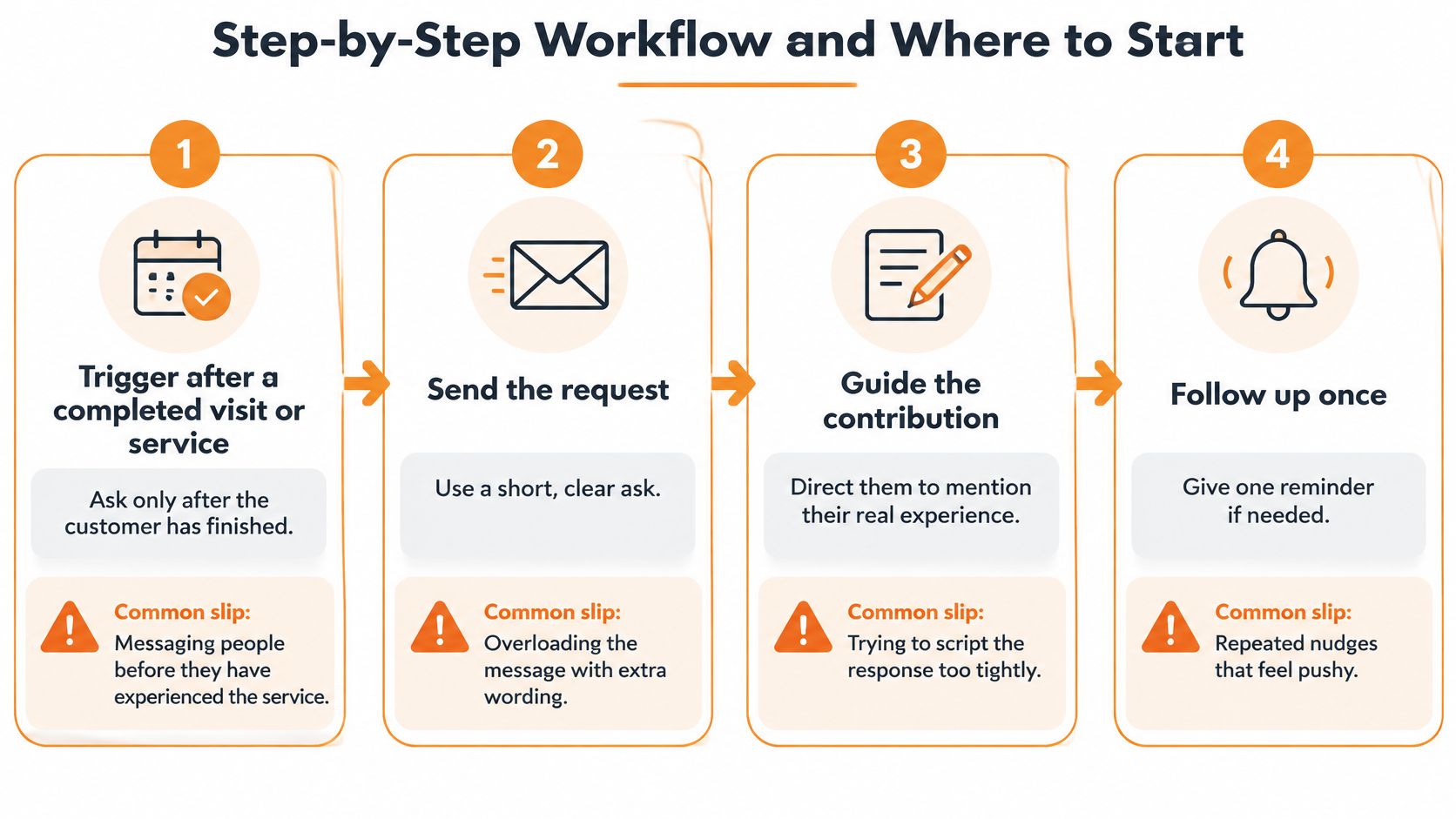
Seven steps, and the slip in each
Ask only after the visit or service is finished. The customer has something real to describe. The slip is texting people before they've been seen, which produces reviews with nothing behind them.
Send one neutral message within a day, with a direct link to the review form. Don't require a star rating. The slip is a line that hints five stars "really help". That hint is the problem, not the link.
Ask for practical specifics in their own words. Parking, accessibility, wait time, and whether the hours on the listing were right. The slip is a checklist so long that nobody finishes it.
Don't supply a script, a reward, or a request for positive ratings. The slip is a sample paragraph under the link, added "just to make it easy". Easy wording is still supplied wording.
Write the staff rules down. Nobody posts as a customer. Nobody asks people to join Local Guides. The slip is a manager using a personal account because the business page can't earn points. That's the prohibition, not a workaround.
Check every public edit suggestion against the website and the booking system before you treat it as correct. Log the mismatch. If the public edit is wrong, report it through Google's reporting process. Don't "fix" it from a staff member's personal account. The slip is accepting a customer's guess because it showed up first.
Reply in public to every review with facts, not a defence. Thank them, correct a wrong hour if they named one, and stop. The slip is an argument in the reply thread.
A month you can actually run
Say a Vancouver physiotherapy clinic texts patients after the appointment and asks them to note parking and accessibility in their own words. No sample paragraph. No gift card.
This month, audit hours, phone, website, categories, service descriptions, and photos against the website and the booking system. Fix the fields you control. Switch on the neutral post-visit request, read the feed weekly, and at day 30 count genuine reviews, correction requests resolved, and mismatches still open.
A clean owner profile is the base those contributions sit on. Our notes on Google Business Profile setup are the place to start when categories and contact details don't match the website. That overhaul covers proper categories, service descriptions, high-quality images, and NAP consistency across directories, and reputation building then uses review generation to strengthen local trust signals without putting words in a customer's mouth.
Prioritise accuracy and authenticity over volume. A correct hour beats another generic paragraph.
If your hours, categories, and reviews don't match what patients experience, we can help you fix the owner-controlled fields and set up a compliant way to ask for feedback. Juiced Digital works with Vancouver service businesses on local SEO and reputation so the public listing stays accurate and the trust signals hold up under policy. Visit Juiced Digital to talk through your listing.
